This release includes several improvements and bug fixes aimed at enhancing user experience and system stability. Below is a summary of the changes included in this update:
New Features
- Import Records from File
Templates can now import records directly from a CSV file instead of querying them from a Source Org.
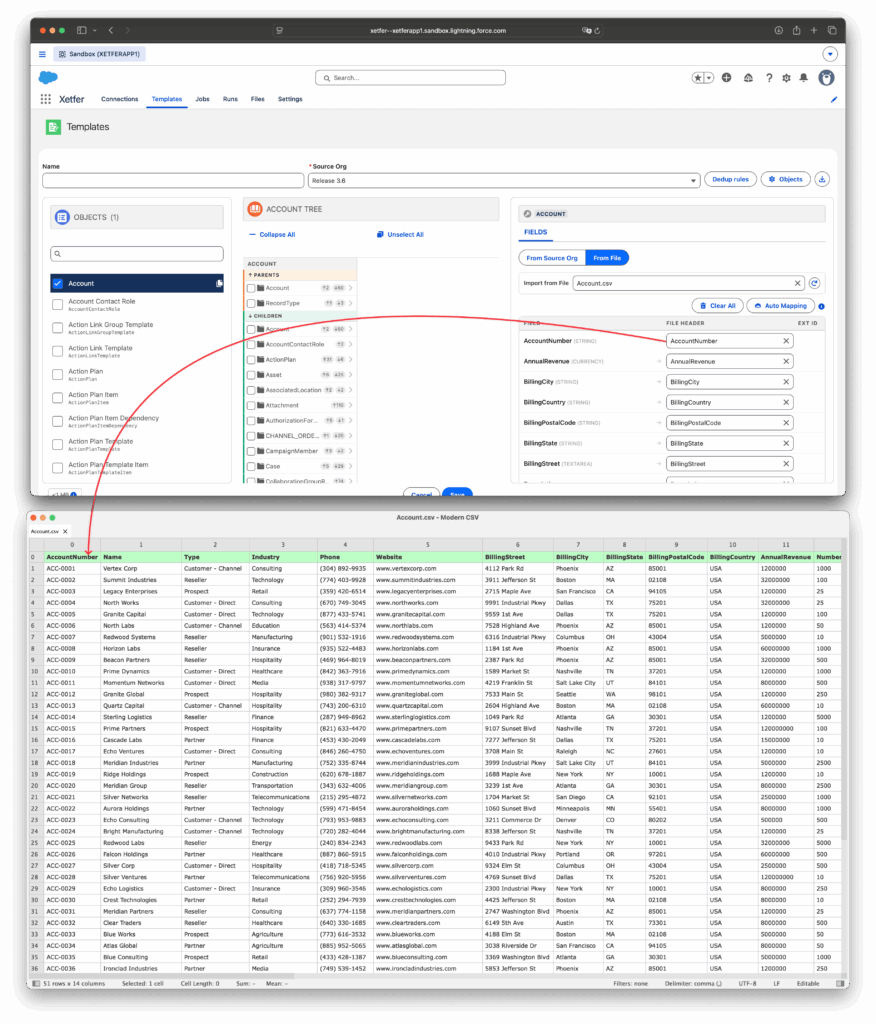
- On a Migration Template, switch an object’s FIELDS tab from From Source Org to From File, then select a CSV file previously uploaded on the Files tab.
- Map each Salesforce field to the matching column in the file.
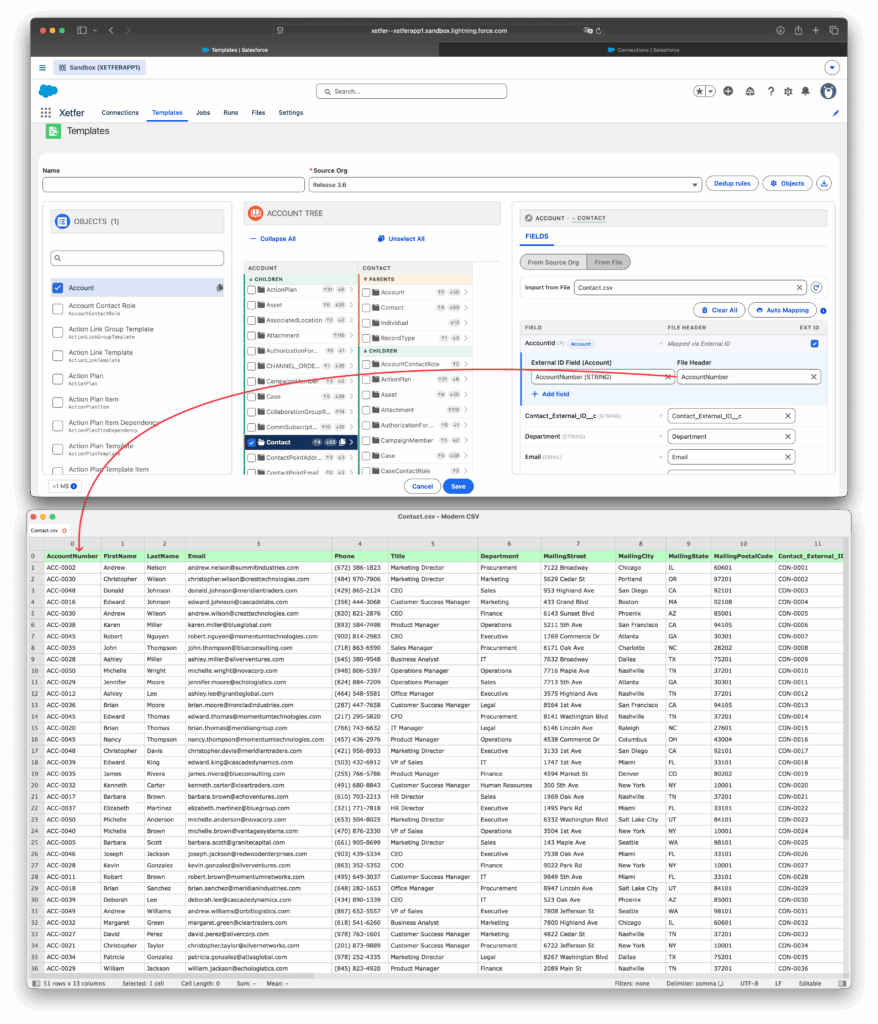
- Relationships between objects are supported: check the Ext ID on a lookup field (for example, the AccountId lookup on Contact), then map it to any column that uniquely identifies the related record — it doesn’t have to be a dedicated External ID field. Related records are then linked correctly on import, instead of being uploaded without their relationships.
In this example, we first set up the mapping for Account, then for Contact — including its Account relationship, matched by AccountNumber.
Field mapping for the Account object.
Field mapping for Contact, including the Account relationship.
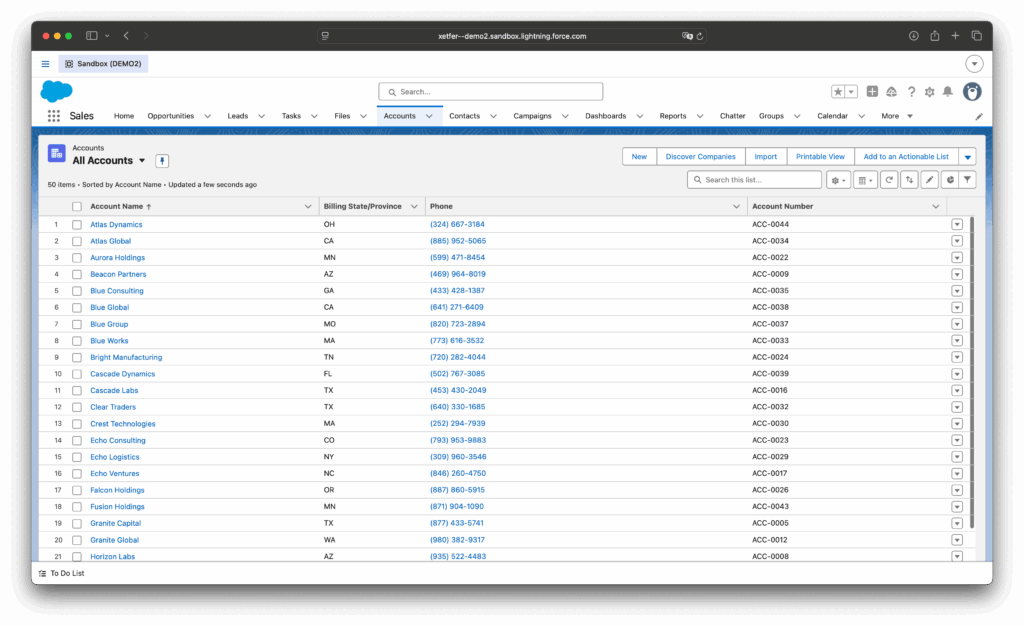
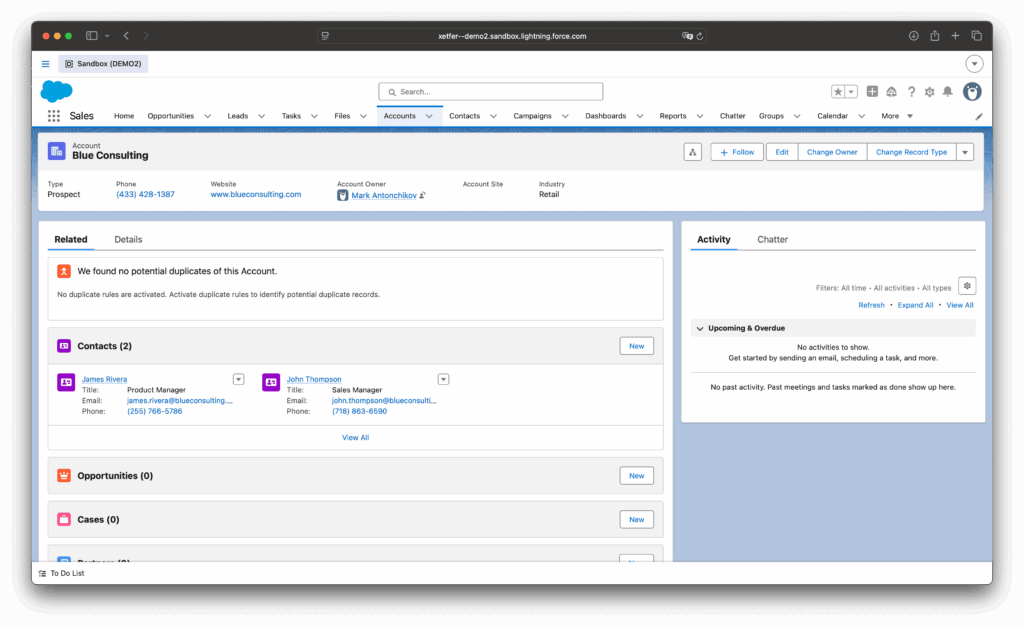
Once the import runs, the Accounts land in the destination org — and the Contacts come in with the relationship already set up.
Result: 50 Accounts imported from the CSV file.
Result: imported Contacts are correctly linked to their Account.
2. Bidirectional Parent/Child Navigation
Object relationships in a template are no longer one-directional. Clicking any object in the tree now shows both its Parents and Children, so you can expand relationships in either direction and add related objects as you go — giving you more flexibility when building a template.
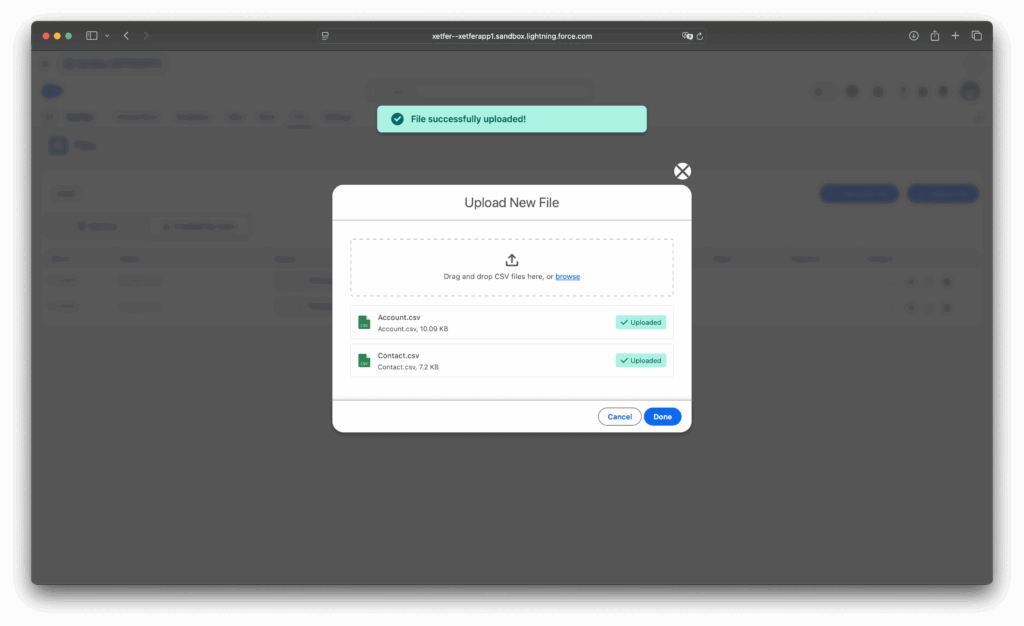
3. Upload Multiple Files at Once
The Files tab now supports uploading several CSV files in a single action, instead of one at a time.
Enhancements
- Faster template loading: object metadata is now cached once per template instead of being re-requested every time an object is selected. Clicking between objects in a template no longer triggers extra metadata calls.